Prices drop when you say
and come back without you
Set the discount, the start date and the end date once. Your whole catalogue drops in a minute, and returns to its base price on its own, at the minute you picked.

You have two options today, and both cost you
A seasonal discount across thousands of products is two jobs, not one: dropping the prices, and putting them back. Putting them back is the one that gets forgotten.

One by one, by hand
From the Zid dashboard
- 3,000 products × twice = 6,000 manual edits
- The revert slips, and the discount runs days longer than you meant
- Any product you miss stays on the campaign price
Importing a spreadsheet
Working through spreadsheets
- You calculate the discount for every product yourself before uploading
- You prepare the full file every time, with every column
- You check the file row by row before you upload it
- Then you repeat the whole process again to put the prices back
أسعار بوت
One scheduled campaign
- Set the discount and the two dates once — the rest runs itself
- We write price fields only — no other field is touched
- The revert is scheduled the moment you create it, waiting on nothing
- A full snapshot of each product before any edit, so undo is always possible
This is what a campaign looks like
Real screens from inside the app, not illustrations. Each one opens that feature's own page.
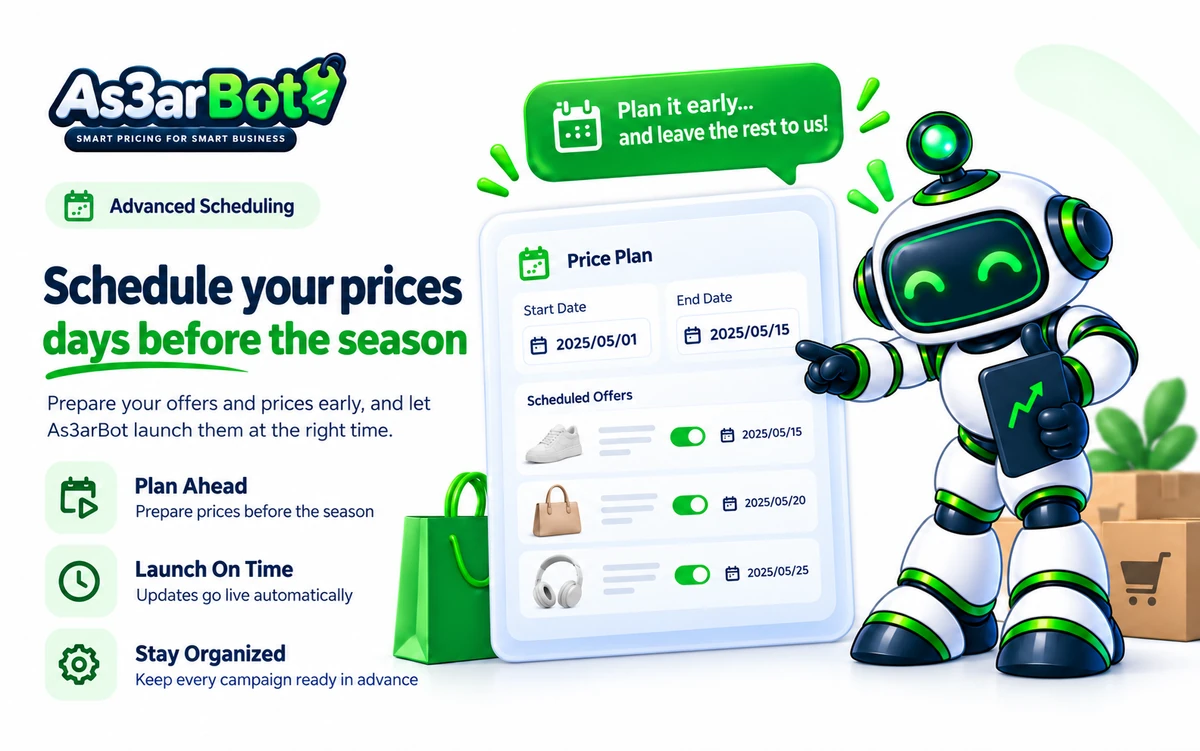 Scheduling ahead
 Automatic revert
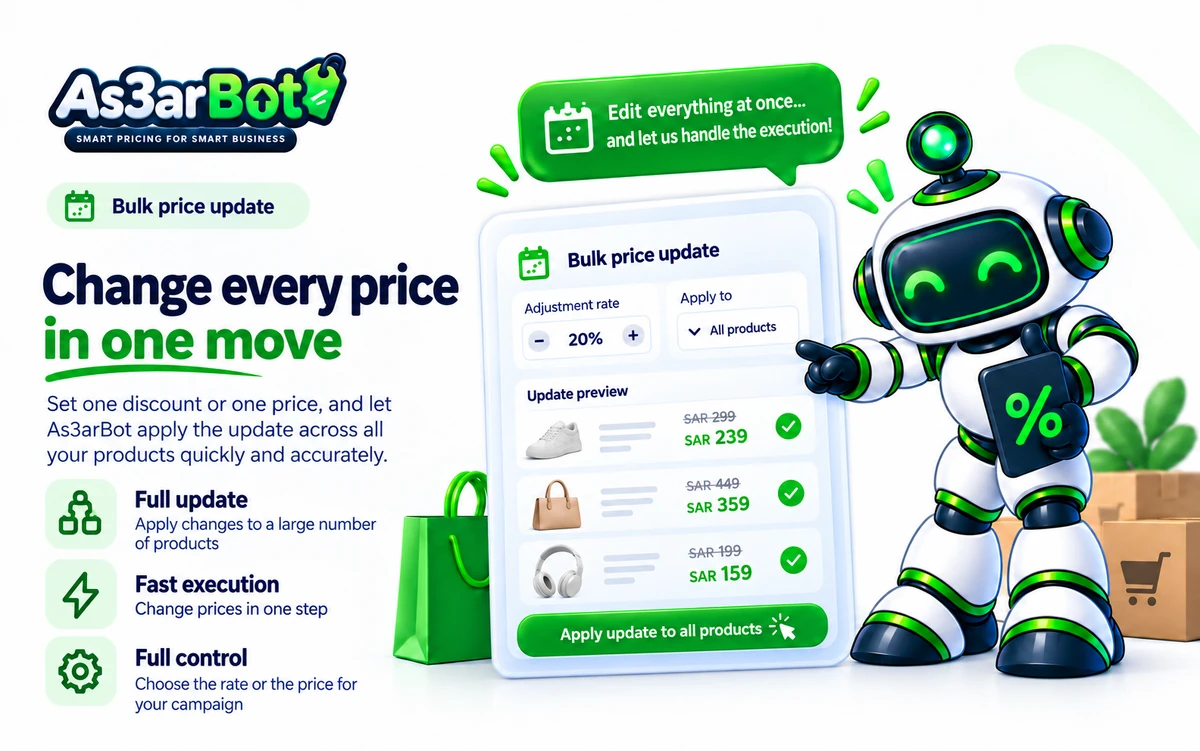 Bulk repricing
 Occasion templates
 Slow-mover discounts
 Bulk coupons
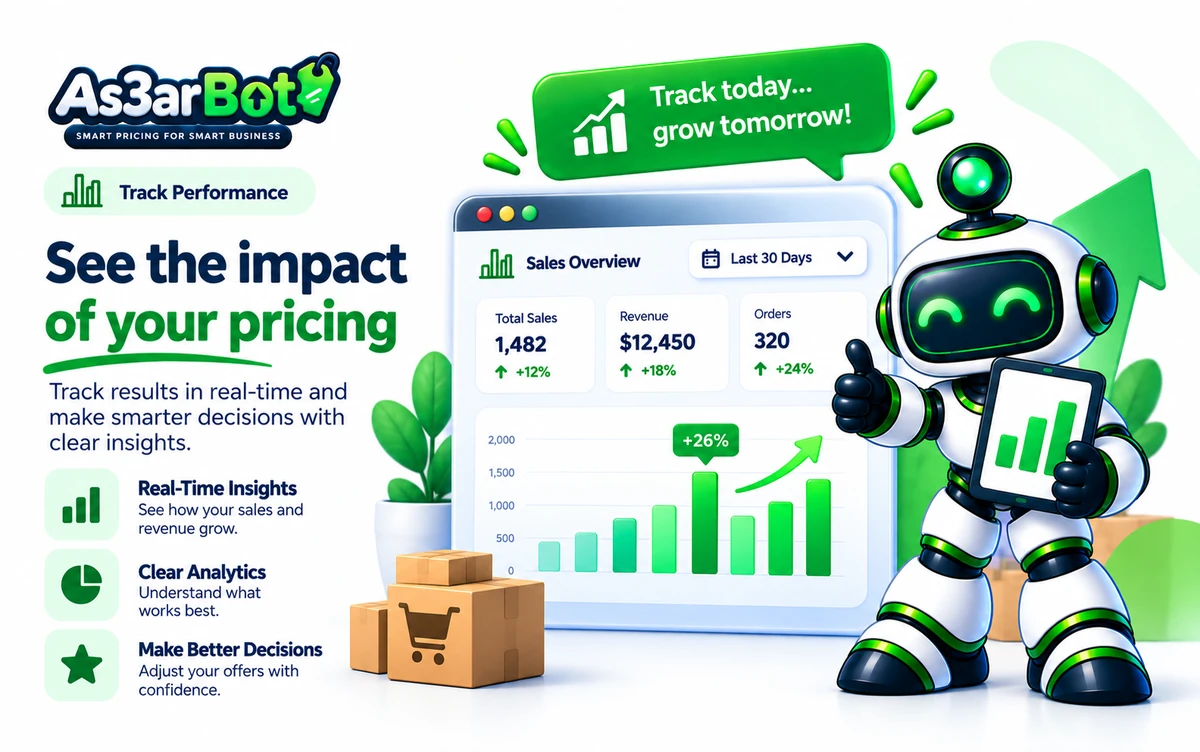 Analytics dashboard
Four steps, and only one needs you

Choose
A category, the whole catalogue, or specific products. Set the percentage and the two dates.
Preview
A table of every product: its price now, and its price during the campaign. Nothing is written to your store until you confirm.
It applies
On the start date, prices drop in batches. You watch what is done and what is pending, live.
It reverts itself
On the end date every product returns to its saved base price — not a recalculated price, the price it actually had.

Your catalogue is not a place to experiment
A wrong price on one product can be fixed. Wiping the descriptions of 3,000 products cannot. That is why safety here is not an extra feature — it is the shape of the product.

A 3,000-product catalogue in under two minutes
Zid allows 60 requests per minute per app per store, and 50 products per request. We work precisely inside those limits — without consuming them all and starving your other apps.

Pay for your catalogue size, not your number of campaigns
Unlimited campaigns on every plan. A sale season is no time to count how many campaigns you have left.

Free trial
Up to 500 products, for 14 days
- Everything in the Store plan, nothing held back
- Unlimited scheduled campaigns for the period
- Automatic revert and the mandatory preview
- No credit card
- Pick your plan when the trial ends
Store
501 to 3,000 products
- Unlimited scheduled campaigns
- Discount a category or the whole catalogue
- Automatic revert to the base price
- A full product snapshot before every campaign
- Mandatory preview before any execution
Growth
3,001 to 15,000 products
- Everything in Store
- Team permissions and an audit log
- Recurring campaigns, monthly or seasonal
- An instant alert if a campaign runs late
- Export the campaign log as CSV
Managed catalogue
Over 15,000 products, or more than one store
- One account managing all your stores
- We set up the seasonal campaigns with you
- A catalogue review before every season
- A direct support channel
The trial covers up to 500 products for 14 days, with no credit card. After that you pick the tier that matches your catalogue size.
What merchants ask before they try it

If the app goes down mid-campaign, do the prices stay discounted?
No. Every schedule is stored in the database with its revert time, and the revert runs from a task that fires every minute. If the app stops and comes back, it finds the overdue schedules and runs them. You also get an alert if a campaign passes its revert time without reverting.
What if I change a product price by hand while a campaign is running?
The app listens to product updates from Zid and tells its own edits apart from yours. If you change the base price, we update the stored snapshot — so when the campaign reverts, it restores your new price, not the old one.
How does the discount appear to a customer in the store?
We use Zid's sale-price field, so the storefront shows the original price struck through next to the sale price — in your theme's normal style. The base price stays exactly as it is in your data the whole time.
Can I set up the whole season's campaigns now?
Yes. You can queue consecutive campaigns on different dates and leave them. The snapshot is taken at the moment of application, not creation — so a campaign scheduled two weeks out restores the prices that were actually live when it started.
I have more than one store on Zid
One account manages all your stores, and you switch between them from the same screen. Every campaign is bound to its own store and never crosses over. This is the default in the Managed Catalogue plan.
Do I need technical knowledge or a change to my storefront theme?
No. Installing from the Zid Market is one click, and we never ask you to edit your theme or add a script. Everything runs inside the app through Zid's official API.
National Day is around the corner
Set your campaign up once and leave the revert to us. You can try it on a single product first and watch it come back with your own eyes.